An Android app handover checklist should answer a business question: who can release the next update if the original agency is unavailable? A working app on your phone is useful, but it does not establish who controls publishing, signing access or the services behind it. Agree those responsibilities before the build begins, then verify the handover with evidence.
Android app handover checklist: start with the publisher
On 19 November 2026, Android announced a global developer-verification expansion beginning in January 2027 with seven distributors, including Google Play and Transsion. It describes expansion over several months on certified devices. That is not a confirmed January cutoff for Nigeria. The announcement also says registered apps represent over 99% of global Android installs: an install-share measure, not the percentage of apps registered.
For a founder, this is a prompt to check the actual publishing arrangement. A broad ecosystem figure cannot confirm your app’s status. Ask your provider to identify the publisher, the exact app package and the evidence that applies to your chosen distribution channels. Keep the current platform guidance alongside the project record because requirements and account status can change.
Keep five ownership questions in one register
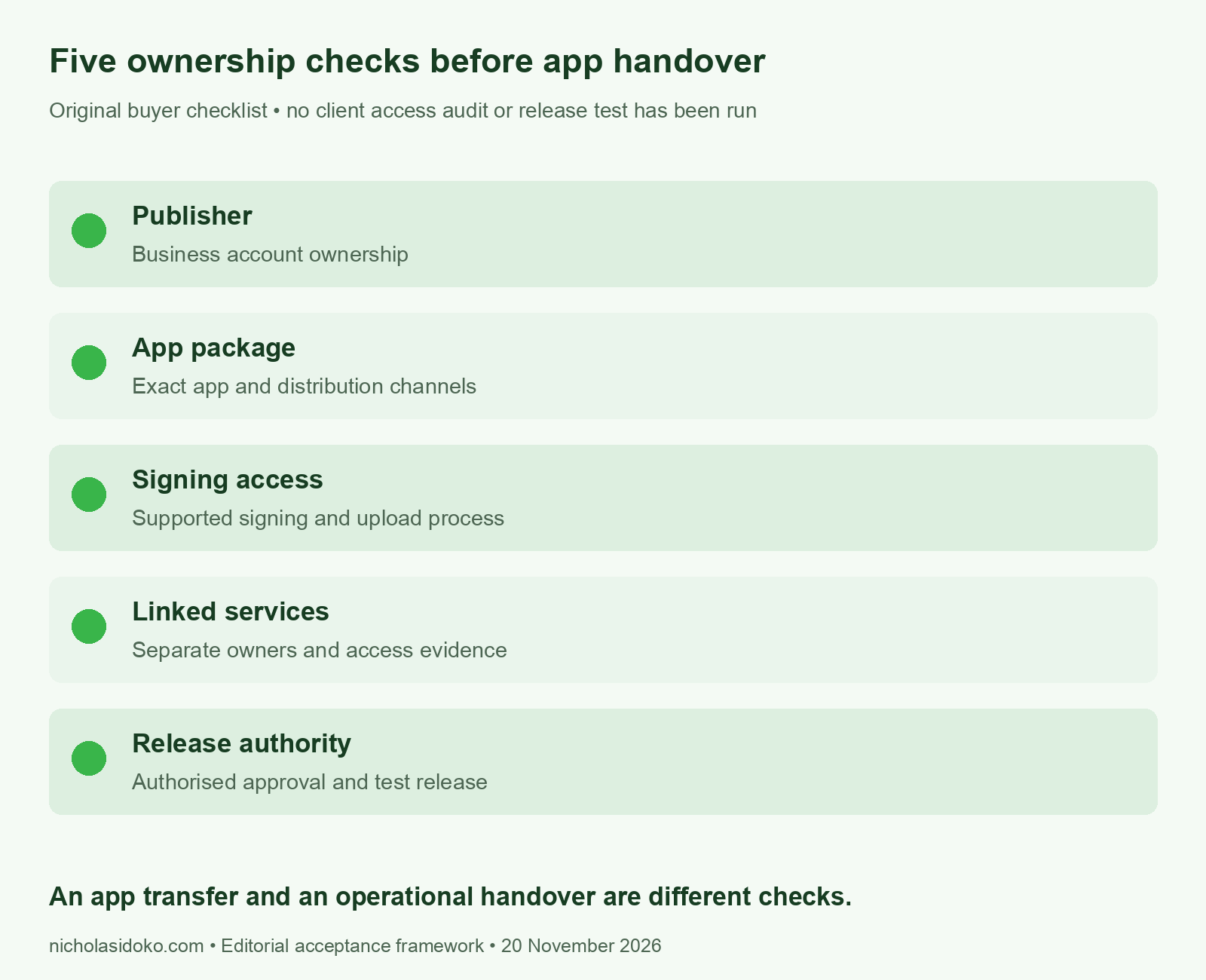
First, name the publisher. Record which business controls the relevant developer account and who is accountable for it. Do not confuse a supplier’s ability to upload a build with the client’s ability to maintain its product. In addition, keep an agreed escalation route if the usual contact is unavailable.
Next, identify the app package. The product name and icon may change, so use the actual identifier supplied by the technical team. Record the distribution channels covered by the handover. This helps stop a team from demonstrating access to a test app while the production app remains outside the agreed account arrangement.
Then document signing and upload responsibilities. Ask the provider to explain the supported process and demonstrate the access your team needs for its role. Use named accounts and appropriate permissions rather than copying a shared password into a spreadsheet. Store sensitive material through your agreed secure process, outside this public template.
Linked services need their own owners. For example, an app may depend on a backend, analytics, notifications or a payment integration. List only the services the app actually uses. For each, record who controls the account, who pays for it and what evidence shows that the authorised team can maintain the connection.
Finally, separate approval from submission. A developer may prepare an update while a business owner decides whether it is ready. Name both roles and agree who covers an absence. The register should identify authority clearly without granting everyone unrestricted access.
Compare client-owned publishing with a planned transfer
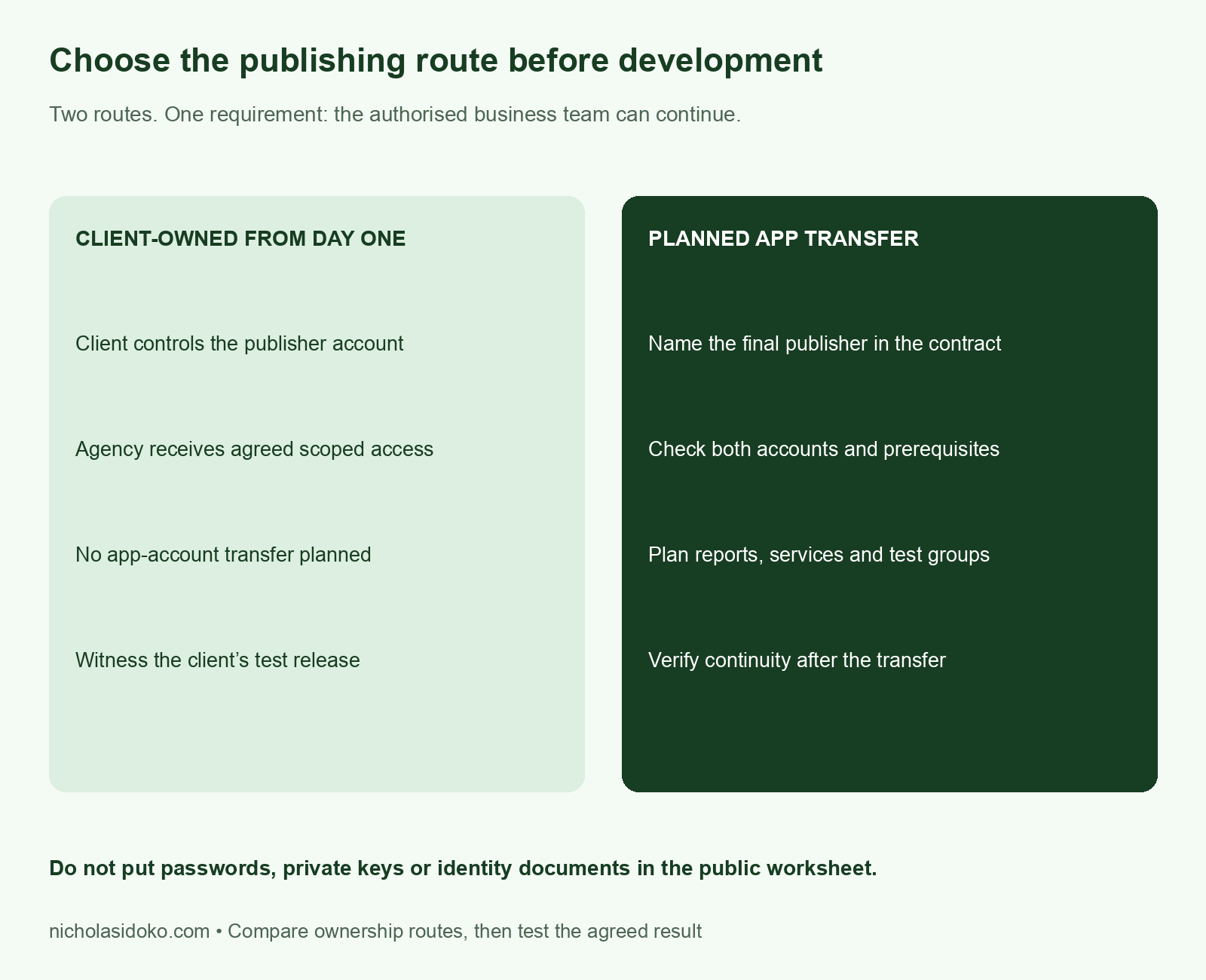
Client-owned publishing from the start can make the intended final ownership clearer. The agency can receive access for the work it needs to do, subject to the platform’s account rules and your security process. However, the contract still needs to cover release responsibilities, linked services and what happens when the supplier leaves.
A planned transfer requires separate preparation. Google Play’s app-transfer guide distinguishes app information that moves from records and settings that need attention. Users and store information can transfer, while historical financial/export reports, test groups and linked-service permissions require separate planning. Review the guide for the specific app and account arrangement. A transferred listing alone does not prove that the whole operation has changed hands.
Therefore, ask for a transfer plan rather than a promise to “send everything later”. It should name the final publisher, dependencies, evidence to retain and acceptance owner. If the business needs historical reports or access to earlier orders, include that requirement explicitly. Do not assume an app transfer moves every business record.
Witness an authorised test release before acceptance
The practical acceptance check is a witnessed test release in an agreed test environment or platform-supported test track. Ask the authorised business team to follow the documented process and retain the result. Define the test version, reviewer, success condition and response to an unresolved issue in advance. Platform review or account requirements may still apply.
This is a proposed acceptance exercise, not a release we have run for a client. Do not submit a production update merely to fill in a checklist. Instead, agree a controlled test with the people responsible for the account and the app. Record what happened and what remains unresolved; an untested row should stay untested.
For a new project, include this check as a procurement appendix. For an existing app, use it to scope an access review before promising a handover date. Our Android app development service can help identify the publishing and continuity work. The safe system migration guide also explains why records and responsibilities deserve their own plan.
Download the Android app handover checklist tools
- Five-area app ownership register (CSV)
- Client-owned versus transfer comparison (CSV)
- Witnessed handover acceptance check (CSV)
- Primary-source facts and boundaries (CSV)
Methodology and next step
We checked Android’s 19 November announcement and the current Google Play transfer guide on 20 November 2026. The ownership register, route comparison and acceptance sheet are original editorial tools. They do not audit any client account or establish legal ownership. No test release or transfer has been performed for this report.
Planning a new Android app or taking over an existing one? Send the current publishing setup without passwords or keys. We can use the ownership register to scope what needs checking before you accept the handover.
Support our research
Found this report useful? Your contribution helps us produce carefully sourced research, clear charts and practical resources, freely available to everyone. Choose a one-time amount that works for you.


