


Introduction to Monitoring & Alerts
Why Monitoring Matters in Modern Systems
Modern systems depend heavily on continuous performance and availability.
Failures can disrupt services and negatively impact customers.
Therefore, monitoring plays a crucial role in maintaining system health.
It detects anomalies before they escalate into bigger issues.
Moreover, monitoring helps teams respond faster to unexpected problems.
Without effective monitoring, system failures often go unnoticed.
The Role of Alerts in Proactive Management
Alerts notify teams instantly when something goes wrong.
These notifications enable quick investigation and resolution.
Consequently, alerts reduce downtime and enhance customer experience.
They guide engineers to focus on urgent and critical issues first.
Alerts also help prioritize responses based on severity levels.
Key Benefits of Monitoring and Alerting Systems
Monitoring and alerts provide real-time visibility into system operations.
They empower companies like BluSky Analytics and Horizon Tech Solutions to maintain reliability.
Teams can spot bottlenecks and performance drops early.
Additionally, these systems support capacity planning and resource optimization.
Ultimately, they improve overall service quality by reducing incidents.
Common Components of Monitoring and Alerting
Monitoring systems collect metrics such as CPU usage, memory, and latency.
Log analysis helps identify patterns and errors within applications.
Uptime checks verify the availability of critical services and endpoints.
Alerts use predefined thresholds to trigger notifications via email, SMS, or chat.
Integration with tools like PagerDuty or OpsGenie enhances incident management.
Types of Failures and Their Impact on Customer Experience
System Failures
System failures occur when hardware or software components malfunction.
For instance, server outages can prevent customers from accessing services.
Such disruptions lead to frustration and loss of trust.
Moreover, prolonged downtime can drive users to competitors.
Therefore, detecting system failures early is crucial for retention.
Application Errors
Application errors happen when bugs or glitches affect functionality.
These errors may cause crashes or incorrect behavior in apps.
Customers often encounter errors during critical tasks, increasing dissatisfaction.
For example, a payment gateway failure can result in lost sales.
Hence, monitoring application health helps maintain seamless user experiences.
Performance Degradations
Performance degradations include slow response times or latency spikes.
Even slight delays can frustrate users and reduce engagement.
Streaming platforms like Streamora noticed churn rates rise during slow load times.
Because performance affects usability, timely alerts on slowdowns matter.
Consequently, optimizing speed boosts overall customer satisfaction.
Security Breaches
Security breaches expose sensitive data and compromise user privacy.
E-commerce company BlueCart detected an intrusion that threatened customer information.
Such incidents severely damage brand reputation and customer confidence.
Besides, recovery expenses add to operational costs.
Build The Software Your Business Needs To Grow
The next stage of your business will need better systems, smarter automation, and stronger digital tools. We help businesses turn ideas into websites, apps, and software platforms built for growth, revenue, and long-term scale.
Build For GrowthThus, alerting teams immediately on potential breaches prevents larger losses.
Network Connectivity Issues
Network connectivity problems disrupt communication between clients and servers.
Customers may experience dropped connections or failed requests.
For example, remote teams at DataStream Solutions faced delays during outages.
These interruptions hamper productivity and customer workflows.
Hence, monitoring network status is vital to maintain availability.
Infrastructure Overloads
Infrastructure overloads occur when demand exceeds system capacity.
This situation often causes slowdowns or crashes during peak usage.
Ticketing platform EventHive saw failures during promotional sales spikes.
Planning for scalability and monitoring resource usage mitigates risks.
In turn, customers enjoy consistent service regardless of load.
Consequences of Failures on Customer Experience
Failures cause inconvenience, eroding customer trust and loyalty.
They often lead to negative reviews and reduced brand advocacy.
Therefore, companies like Vireo Solutions invest heavily in monitoring solutions.
By catching issues early, firms protect revenue and enhance satisfaction.
Ultimately, proactive alerts empower teams to resolve problems before impact grows.
Key Metrics to Monitor for Early Failure Detection
System Performance Metrics
Monitoring system performance helps detect issues before problems escalate.
Track CPU usage constantly to identify unusual spikes promptly.
Memory consumption can reveal potential leaks or inefficiencies early.
Network latency and throughput often indicate possible bottlenecks.
Analyzing performance metrics ensures smooth operations consistently.
Error Rates and Logs
Error rates reflect the health of your applications and services clearly.
Watch error logs carefully to spot recurring or critical failures quickly.
Categorize errors effectively to prioritize urgent fixes properly.
Alerting on sudden error surges can prevent serious outages.
Proactive log monitoring helps avoid negative customer impact.
Availability and Uptime
Uptime percentage correlates directly with customer satisfaction levels.
Measure service availability using health checks and probes regularly.
Frequent downtimes indicate systemic issues needing immediate action.
Maintaining high uptime helps companies like Everest Technologies build trust.
Application-Specific Metrics
Customize monitoring to match your software’s unique characteristics precisely.
For e-commerce platforms, track transaction success rates closely.
Financial services should monitor data consistency and processing speed.
User experience metrics like page load times also matter significantly.
Tailored metrics provide sharper insights into potential failures.
Alert Thresholds and Response
Set clear thresholds for each metric to trigger timely alerts.
Use dynamic thresholds when baseline performance varies over time.
Combine multiple metric alerts to reduce false positive notifications.
Implement automated escalation paths for fast incident resolution.
Effective alerting prevents failures visible to customers.
Build The Software Your Business Needs To Grow
The next stage of your business will need better systems, smarter automation, and stronger digital tools. We help businesses turn ideas into websites, apps, and software platforms built for growth, revenue, and long-term scale.
Build For GrowthDelve into the Subject: Choosing Cloud Hosting: AWS vs GCP vs Azure Simplified
Setting Up Effective Alerting Systems: Best Practices
Defining Clear Objectives
Start by identifying critical system components that require monitoring.
Set specific goals for what each alert should accomplish.
Moreover, tailor alerts to reflect business priorities and user impact.
Choosing Relevant Metrics and Thresholds
Focus on meaningful metrics that truly indicate system health.
For example, monitor error rates, latency, and resource utilization.
Next, set thresholds based on historical data and expected behavior.
Ensure alerts trigger only when necessary to avoid alert fatigue.
Implementing Multi-Level Alerting
Create alert severity levels such as warning, critical, and informational.
This method helps teams prioritize response according to urgency.
Additionally, assign appropriate response processes for each alert level.
Utilizing Alerting Tools and Platforms
Select monitoring tools that integrate well with your infrastructure.
Popular platforms like Datadog, PagerDuty, and New Relic offer robust alerting features.
Ensure these tools support customization and escalation workflows.
Defining Notification Channels and Escalation Paths
Choose appropriate communication channels such as email, SMS, or chat.
Make sure alert notifications reach the right team members promptly.
Establish escalation paths to escalate unresolved issues effectively.
Regular Testing and Tuning of Alerts
Conduct routine tests to verify alert accuracy and timely delivery.
Use simulated failures to check if alerts fire as expected.
Continuously tune thresholds and notification settings based on feedback.
Ensuring Actionable and Clear Alerts
Write alerts that clearly describe the problem and its location.
Include guidance or links to runbooks for quick issue resolution.
Clear alerts reduce response time and improve team efficiency.
Documenting and Reviewing Alert Policies
Maintain comprehensive documentation of alert configurations and rationale.
Review alert effectiveness periodically with stakeholders and engineers.
Adapt alert strategies to evolving systems and business needs.
You Might Also Like: API Design Basics for Scalable US Products
Choosing the Right Tools and Platforms for Monitoring
Evaluating Your Monitoring Needs
Start by identifying your specific monitoring goals.
Think about which systems and services need close observation.
Determine the critical metrics that influence user experience.
Assess the scale of your infrastructure to match tool capabilities.
Choose a customizable platform to adapt to evolving business needs.
Types of Monitoring Tools
Several categories of monitoring solutions exist today.
Infrastructure monitoring tools track the health of servers and networks.
Application performance monitoring tools offer insights into software behavior.
Log management platforms capture and analyze logs to find anomalies.
Real-user monitoring tools measure customer interactions in real time.
Key Features to Look For in Monitoring Tools
Select tools with real-time alerting to catch issues quickly.
Integration capabilities ensure tools work well with existing systems.
Dashboards and visualization help interpret complex data effectively.
Build The Software Your Business Needs To Grow
The next stage of your business will need better systems, smarter automation, and stronger digital tools. We help businesses turn ideas into websites, apps, and software platforms built for growth, revenue, and long-term scale.
Build For GrowthScalable solutions support growth without frequent tool replacement.
Automation support reduces manual effort in responding to alerts.
Popular Monitoring Platforms in the Market
DataSight provides comprehensive infrastructure and application monitoring features.
AlertStream focuses on customizable alert workflows and fast notifications.
LogCentral specializes in log aggregation and detailed analytics.
UserPulse delivers real-user monitoring with detailed performance metrics.
Combining platforms creates a more robust monitoring ecosystem.
Balancing Cost and Effectiveness of Monitoring Tools
Evaluate pricing models based on your anticipated usage and scale.
Consider total cost of ownership including training and onboarding expenses.
Free and open-source tools can suit small to mid-sized teams well.
However, premium solutions usually offer better support and advanced features.
Regularly review tool performance to stay aligned with business goals.
See Related Content: Microservices vs Monolith: The Honest Trade-offs
Implementing Real-Time Monitoring and Automated Alerts
Setting Up Real-Time Monitoring Systems
Real-time monitoring helps detect issues immediately.
It lets teams respond before customers notice problems.
Begin by choosing tools that integrate with your infrastructure.
For example, firms like AlphaStream Technologies use Prometheus for system metrics.
Then, configure dashboards to display critical performance indicators.
Dashboards keep engineers like Emma Rodriguez continuously informed.
Also, ensure monitoring covers servers, databases, and applications.
This coverage helps catch errors from various sources quickly.
Designing Effective Automated Alerts
Automated alerts notify teams when anomalies occur.
Development lead Michael Chen advises setting thresholds based on system behavior.
These thresholds determine when alerts should trigger to prevent false alarms.
Alerts should also be prioritized by severity and impact.
Platforms like PagerDuty or Opsgenie optimize alert distribution and follow-up.
Set escalation paths to ensure unresolved issues reach senior staff quickly.
Combine alerting with incident tracking to document responses properly.
Best Practices for Continuous Improvement
Regularly review monitoring metrics and alert rules to keep them relevant.
For example, Susan Miller from ClearStream Networks schedules quarterly audits.
Audits identify outdated thresholds and duplicate alerts effectively.
Also, conduct post-incident reviews to learn from failures and false positives.
Teams should update monitoring strategies based on these insights over time.
Training employees on alert importance improves response effectiveness.
Clear communication between DevOps and customer support reduces resolution times.
Advantages of Proactive Failure Detection
Proactive monitoring prevents downtime that affects customers.
It boosts user satisfaction by maintaining reliable service availability.
This approach also reduces costs linked to emergency repairs.
Companies like NexaTech have seen faster incident resolution after adopting these methods.
Ultimately, real-time monitoring and alerts build trust between providers and clients.
Build The Software Your Business Needs To Grow
The next stage of your business will need better systems, smarter automation, and stronger digital tools. We help businesses turn ideas into websites, apps, and software platforms built for growth, revenue, and long-term scale.
Build For GrowthDiscover More: Event-Driven Systems Explained for Business Owners
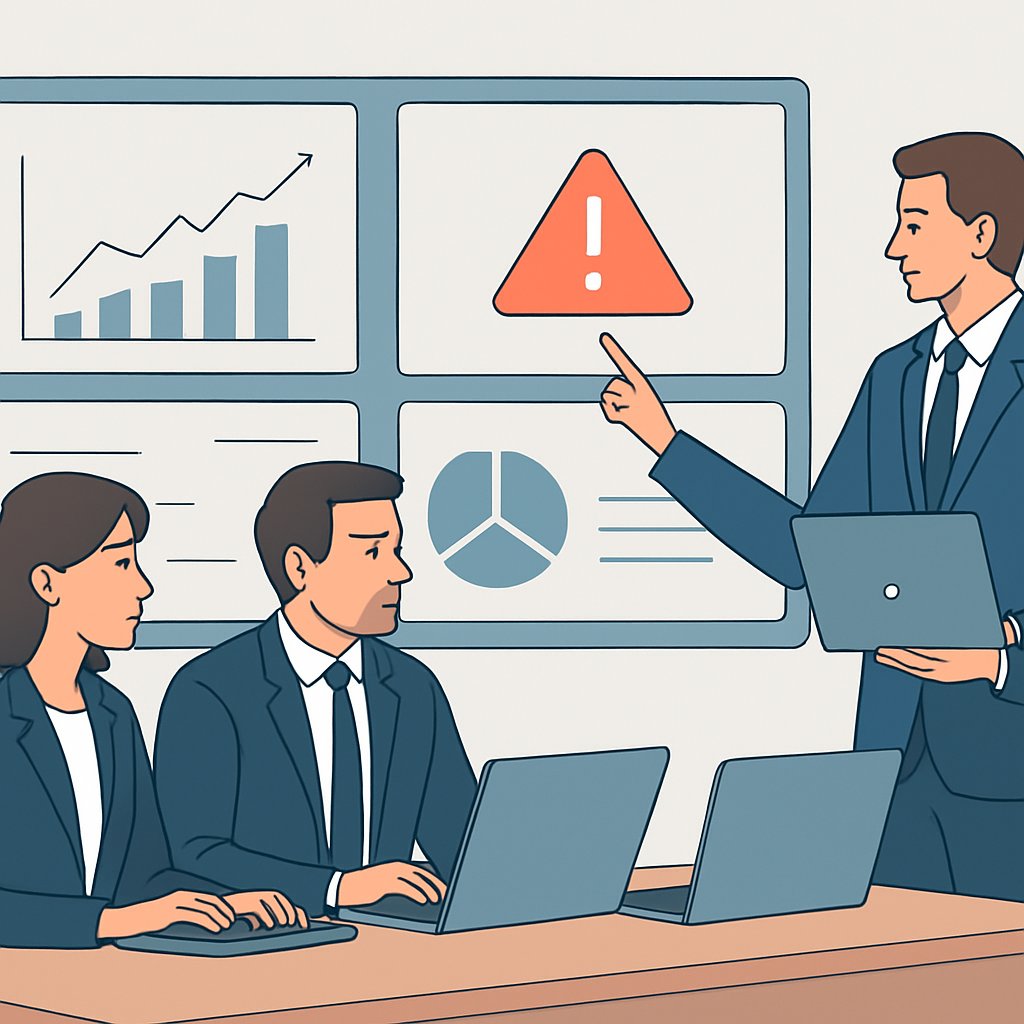
Strategies for Minimizing False Positives and Alert Fatigue
Implementing Intelligent Alert Thresholds
Setting precise thresholds reduces unnecessary alerts significantly.
Maria Lopez, a lead engineer at ClearWave Systems, advocates for dynamic thresholds.
They adjust alert levels based on system behavior patterns and usage trends.
This approach filters out trivial warnings and focuses on real issues.
Moreover, it helps teams prioritize critical alerts effectively.
Using Contextual Awareness in Monitoring
Context is essential in distinguishing between genuine failures and noise.
ClearWave’s team integrates environment-specific data to enhance alert accuracy.
For example, recognizing scheduled maintenance windows avoids false alarms.
Additionally, correlating different system metrics provides a holistic view.
This practice greatly improves the relevance of alerts received by operators.
Incorporating Machine Learning for Alert Optimization
Machine learning models identify patterns that indicate true failures.
At Solaria Tech, data scientists train algorithms using historical incident data.
These models predict and suppress alerts triggered by known benign behaviors.
As a result, they reduce noise without missing critical failures.
Ongoing training keeps the models adaptive to system changes.
Designing Alert Routing and Escalation Paths
Proper routing ensures the right person sees the right alert quickly.
Systems should automatically assign alerts based on roles and expertise.
When issues persist, escalation mechanisms involve higher-level support staff.
This approach minimizes duplicated efforts and speeds up resolution times.
Alert fatigue diminishes because team members handle only relevant notifications.
Establishing Alert Review and Feedback Loops
Continuous improvement depends on regular alert performance evaluations.
Team leads at Nimbus Cloud Services conduct weekly alert audits.
They analyze false positives and adjust configurations accordingly.
Collecting frontline feedback helps refine alert criteria and thresholds.
This feedback loop maintains alert quality and prevents fatigue over time.
Balancing Alert Volume with Criticality Levels
Segmenting alerts by severity helps teams focus on urgent failures first.
For instance, warnings can trigger less intrusive notifications like emails.
Critical incidents require immediate paging or phone calls for quick response.
Using different channels reduces the risk of missing high-priority alerts.
This tiered system also prevents alert overload for less serious issues.
Responding to Alerts
Establishing an Incident Management Team
Organizations must form dedicated teams to handle alerts effectively.
At Nimbus Technologies, Maria Chen leads a skilled group of engineers for incident response.
Team members have clear roles and responsibilities to streamline resolution efforts.
Cross-functional collaboration enhances problem-solving under pressure.
Receiving and Prioritizing Alerts
Monitoring tools like DataPulse generate real-time alerts about system anomalies.
Alex Romero, the duty engineer, assesses alert severity as soon as they arrive.
He prioritizes incidents based on customer impact and system criticality.
Automated filters reduce noise by suppressing low-priority alerts.
Incident Investigation and Diagnosis
The team gathers relevant logs and metrics immediately after alert receipt.
Build The Software Your Business Needs To Grow
The next stage of your business will need better systems, smarter automation, and stronger digital tools. We help businesses turn ideas into websites, apps, and software platforms built for growth, revenue, and long-term scale.
Build For GrowthKavita Singh uses diagnostic dashboards to identify root causes efficiently.
They analyze error patterns, recent deployments, and infrastructure changes carefully.
This thorough investigation limits downtime and prevents recurrence of issues.
Communication During Incidents
Clear and timely communication keeps stakeholders informed throughout the incident lifecycle.
Liam O’Connor manages status updates via chat channels and incident portals.
He ensures transparency with customers while coordinating internal teams effectively.
Well-crafted messages reduce confusion and build trust during outages.
Resolving and Recovering from Failures
The resolution phase involves applying fixes or rolling back recent changes as needed.
Nadia Patel performs live fixes when feasible to restore service rapidly.
After resolution, the system undergoes thorough validation to confirm stability.
Teams document mitigation steps for future knowledge sharing.
Post-Incident Review and Continuous Improvement
After each incident, Nimbus Technologies conducts blameless postmortems to learn valuable lessons.
Team members including Maria Chen and Kavita Singh analyze causes and response effectiveness.
They update runbooks and alert configurations to avoid similar problems.
This continuous improvement cycle helps catch failures before customers do.
Case Studies: How Early Monitoring Prevented Major Customer Issues
Financial Services Company Avoids Downtime
Wellington Bank integrated real-time monitoring into their transaction platform.
The system flagged unusual latency spikes in payment processing immediately.
Engineering teams received alerts and responded promptly to investigate anomalies.
They found a database query causing delays under heavy load.
By fixing the issue quickly, Wellington Bank avoided potential customer disruptions.
Customer trust remained intact, and revenue loss was prevented as a result.
E-Commerce Platform Stops Cart Abandonment Crisis
BrightCart, a popular online retailer, used proactive error detection tools.
Early alerts notified developers of a sudden increase in shopping cart failures.
The issue originated from a third-party payment gateway experiencing outages.
Rapid intervention enabled BrightCart to switch to a backup payment processor instantly.
This quick action minimized cart abandonment and protected sales volume.
Customers experienced uninterrupted service throughout the incident.
Healthcare Provider Prevents Data Loss with Alerting System
MedixCare deployed continuous monitoring across their patient record system.
The platform detected unusual write failures to the database early on.
IT staff acted immediately to stop a corrupted backup job from proceeding.
They resolved a storage hardware issue before any data loss occurred.
Patient records remained secure and accessible at all times afterward.
Early detection greatly improved compliance with health data regulations.
Social Media App Maintains User Experience During Peak Traffic
StreamLine, a fast-growing social media app, set alert thresholds for server metrics.
An alert triggered when server CPU utilization reached critical levels during a viral event.
The operations team scaled infrastructure within minutes to meet demand.
This proactive scaling prevented slowdowns or crashes that could frustrate users.
StreamLine retained high user engagement despite unexpected traffic surges.
Key Insights from Early Monitoring Successes
- Real-time monitoring enables quick identification of hidden issues.
- Automated alerts help prioritize and expedite response efforts.
- Effective communication between teams proves crucial for rapid resolution.
- Backup systems and contingency plans reduce customer impact.
- Continuous improvements arise from analyzing alert incident reports.
Continuous Improvement through Alert Analysis
Collecting and Categorizing Alerts
Effective continuous improvement starts with thorough data collection.
Teams at BlueWave Technologies collect alerts from diverse system components.
Build The Software Your Business Needs To Grow
The next stage of your business will need better systems, smarter automation, and stronger digital tools. We help businesses turn ideas into websites, apps, and software platforms built for growth, revenue, and long-term scale.
Build For GrowthThey categorize alerts based on severity, frequency, and impacted services.
This categorization helps prioritize investigation efforts efficiently.
Moreover, it enables focused resource allocation for critical issues.
Identifying Patterns and Root Causes
Once categorized, the team analyzes alerts to detect common patterns.
For instance, Solara Networks noticed repeated database connection failures during peak hours.
This pattern highlighted resource contention as a root cause.
Consequently, the engineers collaborated to redesign connection pooling strategies.
Such root cause analysis prevents repeated failures and boosts reliability.
Implementing Feedback Loops for System Enhancements
Feedback loops ensure that lessons from alerts lead to system enhancements.
Software engineers, like those at Aurora Systems, review post-mortems regularly.
They document findings and update monitoring rules to reduce false positives.
Furthermore, these loops include automated tests verifying the effectiveness of fixes.
As a result, the system learns and evolves, minimizing future disruptions.
Leveraging Machine Learning to Anticipate Failures
Advanced teams employ machine learning to anticipate system failures.
Data scientists at TitanX Inc. build models from historical alert data.
These models predict anomalies before they escalate into outages.
Therefore, alerts transform from reactive signals into proactive warnings.
This approach accelerates incident response and strengthens system uptime.
Fostering a Culture of Continuous Improvement
Continuous improvement succeeds only when embraced culturally.
At NexGen Solutions, cross-team collaboration encourages knowledge sharing.
Regular “alert review” sessions empower employees to participate actively.
Moreover, leadership rewards initiatives that enhance monitoring and alerting quality.
This culture drives innovation and resilience across the organization.
Best Practices for Analyzing Alerts to Improve Reliability
- Maintain clear documentation for all alert types and responses.
- Automate alert triaging to reduce manual workload.
- Regularly update thresholds and rules to reflect system changes.
- Engage multidisciplinary teams for comprehensive problem solving.
- Use retrospective meetings to learn from major incidents.
Implementing these practices enhances alert systems and overall stability.
Additional Resources
The Silent Spiral: When Monitoring Systems Miss What Matters Most
Service health – Mar 14, 2026 | AWS Health Dashboard | Global
Before You Go…
Hey, thank you for reading this blog post to the end. I hope it was helpful. Let me tell you a little bit about Nicholas Idoko Technologies.
We help businesses and companies build an online presence by developing web, mobile, desktop, and blockchain applications.
We also help aspiring software developers and programmers learn the skills they need to have a successful career.
Take your first step to becoming a programming expert by joining our Learn To Code academy today!
Be sure to contact us if you need more information or have any questions! We are readily available.