
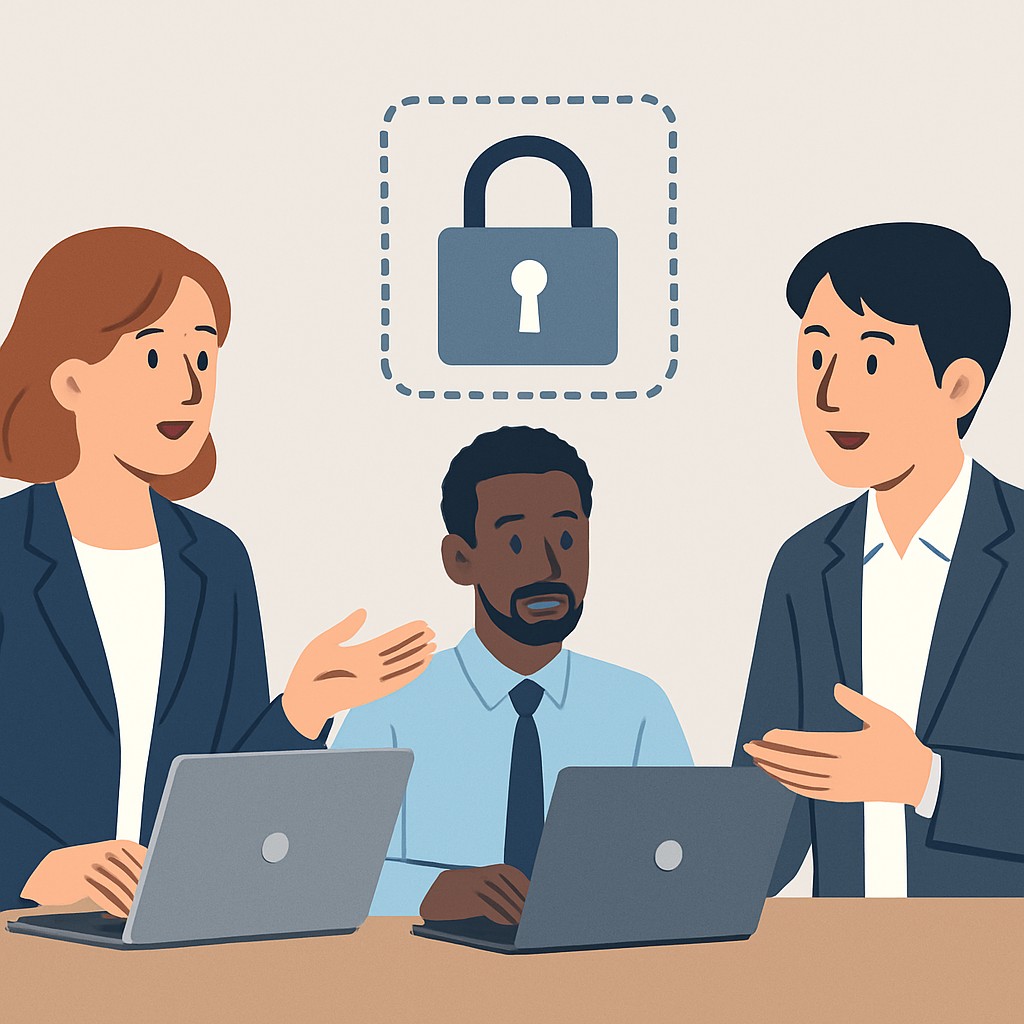

Introduction to Authentication Methods
Understanding Passwords
Passwords have long served as the primary method of securing online accounts.
They require users to create a secret combination of characters.
However, weak or reused passwords often lead to security breaches.
Consequently, many organizations encourage stronger and more complex passwords.
Using password managers also helps users maintain unique credentials.
Exploring Passkeys
Passkeys represent a modern alternative to traditional passwords.
They rely on cryptographic keys stored securely on devices.
This method eliminates the need to remember complex strings.
Furthermore, passkeys reduce risks from phishing attacks and credential theft.
Major companies like IronStar Solutions have started adopting passkey standards.
The Role of Multi-Factor Authentication
Multi-factor authentication (MFA) adds an extra layer of security.
It combines something users know with something they have or are.
For instance, MFA may require a password plus a fingerprint scan.
This approach significantly decreases the chances of unauthorized access.
Organizations like Silver Oak Capital use MFA to protect sensitive data.
Evaluating Authentication Methods for Enhanced Security
Understanding each method’s strengths guides better security choices.
While passwords are simple, they demand careful management and complexity.
Passkeys offer seamless and phishing-resistant authentication experiences.
MFA enhances protection even further by requiring multiple verification methods.
Therefore, combining these approaches often yields the strongest login security.
The History and Evolution of Passwords in Digital Security
Early Beginnings of Passwords
Passwords first appeared as a way to restrict access to physical spaces.
In computing, the concept started with time-sharing systems in the 1960s.
Fernando Corbató at MIT introduced early password protection in the Compatible Time-Sharing System.
This innovation allowed multiple users to share a single computer securely.
However, initial implementations lacked sophistication and strong security measures.
The Rise of Passwords in the Digital Age
As personal computers became widespread, passwords became the primary security tool.
Companies like Microsoft and Apple incorporated passwords into their operating systems.
Users were encouraged to create memorable passwords to protect personal data.
Unfortunately, many chose simple and easily guessable passwords.
Hackers quickly adapted, exploiting weak or reused passwords for breaches.
Challenges and Limitations of Traditional Passwords
Passwords suffer from several well-known vulnerabilities and user challenges.
Users often struggle to remember complex passwords for multiple accounts.
This leads to reuse or writing passwords down, increasing risk.
Phishing attacks trick users into revealing passwords to attackers.
Additionally, brute force and dictionary attacks allow automated password cracking.
Advancements and Alternatives to Passwords
Industry leaders began exploring new authentication methods to improve security.
Single Sign-On systems simplified login processes while maintaining protection.
Multi-factor authentication emerged, combining passwords with additional verification steps.
More recently, passkeys and biometric authentication gained traction.
Google, Microsoft, and Apple are investing heavily in passwordless technology.
Future Directions in Digital Authentication
Experts predict a gradual shift away from passwords entirely.
Passkeys use cryptographic techniques to eliminate shared secrets.
Biometrics provide unique and convenient authentication options.
Despite advances, educating users remains critical for security success.
Organizations must balance convenience, privacy, and protection moving forward.
Understanding Passkeys: How They Work and Their Advantages
The Basics of Passkeys
Passkeys provide a modern alternative to traditional passwords for user authentication.
They use cryptographic key pairs instead of secret strings.
Users authenticate via a device-stored private key that never leaves their device.
The corresponding public key is stored securely by the service provider.
This design eliminates the need for memorizing or transmitting passwords.
How Passkeys Operate in Practice
When users log in, their device proves possession of the private key.
This process usually involves biometric verification or device PIN entry.
Then, the device signs a challenge sent by the service to confirm identity.
Finally, the service verifies the signature using the stored public key.
Hence, passkeys prevent common attacks like phishing and password reuse.
Advantages of Using Passkeys
Passkeys enhance security by eliminating weak or stolen passwords.
Moreover, they simplify the login process with seamless biometric or PIN verification.
Users benefit from reduced account lockouts caused by forgotten passwords.
Companies like Redwood Cybersecurity report fewer support calls related to login issues.
Plus, passkeys work across multiple platforms, improving accessibility and user experience.
Improved Security Against Common Threats
Passkeys protect users from phishing attacks because no secret is shared.
They also prevent credential stuffing since no password list exists to breach.
Additionally, breaches at service providers expose only public keys, not private credentials.
This cryptographic mechanism greatly reduces the risk of account compromise.
Benefits for End Users and Organizations
End users enjoy faster, more convenient authentication.
Organizations reduce costs associated with password resets and account recovery.
IT teams at companies like Meridian Financial have noticed stronger user trust with passkeys.
Furthermore, passkeys align with industry standards like WebAuthn and FIDO2.
This ensures broad compatibility and future-proof authentication solutions.
Delve into the Subject: Documentation That Clients and Engineers Both Love
Multi-Factor Authentication Types and Benefits
Understanding Multi-Factor Authentication
Multi-Factor Authentication (MFA) strengthens account security.
It requires multiple verification steps to confirm identity.
MFA combines something you know, something you have, or something you are.
Thus, MFA reduces the risk of unauthorized access significantly.
Many companies like Sterling Data Systems adopt MFA for security.
Common Types of MFA
Authentication Apps
Authentication apps create time-sensitive codes for user logins.
Google Authenticator and Authy are popular options across sectors.
These apps add a dynamic second security layer beyond passwords.
However, losing a device can complicate access without backups.
SMS and Email Codes
SMS and email deliver verification codes for extra login confirmation.
Although convenient, they are vulnerable to SIM swap and phishing attacks.
Despite this, firms like Horizon Financial still use SMS codes.
Biometric Verification
Biometrics use unique physical traits like fingerprints or facial scans.
Apple’s Face ID and Samsung’s fingerprint scanners are examples.
They offer quick authentication without needing to memorize codes.
Still, some users worry about privacy and data storage.
Hardware Tokens
Hardware tokens are physical devices that store authentication credentials.
Yubico’s YubiKey is a trusted hardware token in security communities.
These tokens protect strongly against remote hacking attempts.
Losing the device may temporarily block access to accounts.
Advantages of Implementing Multi-Factor Authentication
MFA greatly lowers the risk of data breaches by adding extra verification steps.
It increases user confidence through strict security measures.
Organizations like Redwood Analytics report fewer security incidents after MFA.
Furthermore, MFA supports compliance standards in finance and healthcare industries.
Users gain peace of mind knowing their accounts are more secure.
Finally, adopting MFA promotes a proactive stance against evolving cyber threats.
You Might Also Like: Disaster Recovery Plans That Don’t Live in a Drawer
Comparing Security Levels: Passwords vs Passkeys vs MFA
Understanding Passwords
Passwords remain the most common login method worldwide.
Users create secret strings of characters to verify identity.
However, passwords are vulnerable to guessing and theft.
Hackers use techniques like brute force, phishing, and credential stuffing.
Many people reuse passwords across multiple accounts, increasing risk.
Consequently, passwords alone offer limited security in today's digital landscape.
Exploring Passkeys
Passkeys replace traditional passwords with cryptographic key pairs.
They rely on devices to store private keys securely offline.
When logging in, the device proves identity without transmitting secret data.
This method drastically reduces risks of phishing and replay attacks.
Passkeys simplify user experience by eliminating the need to remember passwords.
Furthermore, companies like Sentinel Cybersecurity recently adopted passkeys for enhanced safety.
Benefits of Multi-Factor Authentication (MFA)
MFA requires users to provide multiple verification factors simultaneously.
Common factors include something you know, have, or are.
For example, a password combined with a temporary code from a smartphone.
This layered approach dramatically improves account security.
Even if one factor is compromised, unauthorized access becomes difficult.
Many financial institutions, such as Harbor Trust Bank, mandate MFA for customer accounts.
Comparing Security Strengths
- Passwords alone offer basic protection but are vulnerable to many attacks.
- Passkeys enhance security by removing shared secrets from the authentication process.
- MFA adds extra layers that significantly reduce the chances of unauthorized access.
- Organizations combining passkeys with MFA get a strong defense against modern threats.
Selecting the Best Security Method for Your Needs
Simple accounts may rely on strong, unique passwords effectively.
However, high-risk or business-critical systems benefit from passkeys and MFA.
Providers like BrightWave Technologies recommend adopting MFA as a minimum standard.
Meanwhile, companies like Ironclad Cyber advocate transitioning fully to passkey-based logins.
Ultimately, understanding each method's strengths helps tailor the best security stack.
Delve into the Subject: How to Estimate Software Cost Like a Pro (Without Guessing)
Implementation Challenges
Technical Integration Complexity
Integrating passwords, passkeys, and MFA into existing systems often demands significant development effort.
Legacy platforms may require extensive modification or complete overhauls.
Moreover, compatibility issues arise between different authentication protocols.
These issues can slow deployment and increase costs for organizations like CipherOak Technologies.
Security Infrastructure Requirements
Robust backend infrastructure is essential to securely manage multiple authentication factors.
Providers such as SentinelTech must ensure encryption and secure storage mechanisms.
Failure to meet these requirements could expose user credentials to breaches.
Therefore, continuous monitoring and timely updates are imperative to maintain security posture.
Regulatory and Compliance Constraints
Companies like ClearWave Analytics face strict compliance demands for user authentication data.
Regulations such as GDPR and CCPA dictate how personal information should be handled.
In addition, industry-specific standards may impose additional authentication requirements.
Organizations must balance security features with legal obligations effectively.
User Experience Considerations
Simplicity Versus Security
Users often prefer simple login processes to avoid frustration.
However, enhanced security measures sometimes add complexity to user workflows.
For example, MFA can require extra steps, delaying access.
Designers must find an optimal balance to satisfy both security and usability.
Adoption and User Education
Educating users about new authentication methods increases successful adoption rates.
Tech firms like BrightLeaf Technologies provide tutorials and help desks to assist users.
Clear communication about benefits encourages acceptance of stronger login methods.
Regular feedback loops help identify user pain points and improve the experience.
Cross-Device and Platform Consistency
Login stacks must function seamlessly across desktops, mobiles, and tablets.
Organizations such as NexisCloud invest heavily in ensuring consistent behavior on all platforms.
Users expect their authentication methods to work regardless of device.
Inconsistencies can lead to frustration and dropped sign-ups.
Accessibility and Inclusivity
Authentication systems must accommodate users with disabilities and diverse needs.
For instance, voice commands or biometric alternatives enhance accessibility.
Companies like Horizon Interactive test their login flows with varied user groups.
Inclusive design practices improve overall user satisfaction and broaden customer reach.
Balancing Implementation and Experience
Iterative Development Approach
Adopting an iterative process helps refine authentication implementations.
Startups like OpalGuard launch minimum viable features and gather user feedback.
This approach uncovers hidden challenges early and adjusts accordingly.
Ultimately, it leads to smoother rollout and better user reception.
Prioritizing Security Without Sacrificing Usability
Companies must weigh risks and user convenience when selecting authentication methods.
Multi-factor authentication should be used when justified by threat levels.
Meanwhile, techniques like passkeys can reduce friction compared to traditional passwords.
Striking the right balance enhances both protection and user loyalty.
Collaboration Between Teams
Successful login stack deployment requires cooperation among security, product, and design teams.
Regular communication ensures alignment on goals and compromises.
Teams at firms like Ironclad Security hold joint sessions to resolve conflicts promptly.
This collaboration accelerates implementation while safeguarding user experience.
You Might Also Like: Making Mobile Apps That Feel Instant on Budget Devices
Best Practices for Selecting the Right Login Stack for Your Application
Assessing Application Security Requirements
Begin by evaluating the security needs of your application.
Consider the sensitivity of the data users will access.
Moreover, analyze potential threats and compliance obligations.
High-risk applications require stronger authentication methods.
Conversely, low-risk apps might allow more straightforward login options.
Evaluating User Experience and Accessibility
User convenience greatly influences authentication method adoption.
Choose options that users can easily understand and operate.
Consider accessibility needs to accommodate all users effectively.
Biometric and passkey solutions often provide faster, frictionless logins.
However, you should balance convenience with security demands.
Understanding Passwords, Passkeys, and Multi-Factor Authentication
Passwords
Passwords remain the most common authentication method.
They are easy to implement but prone to attacks like phishing.
Strong password policies and hashing are essential for protection.
Passkeys
Passkeys eliminate password weaknesses by using cryptographic keys.
They improve security and enhance user experience simultaneously.
Passkeys reduce risks of theft because they are device-specific.
Multi-Factor Authentication (MFA)
MFA adds additional verification steps to increase security.
Common factors include SMS codes, authenticator apps, or biometrics.
Implementing MFA can prevent unauthorized access after password compromise.
Considering Implementation and Maintenance Costs
Calculate initial development costs for each authentication method.
Evaluate ongoing expenses for upkeep, monitoring, and customer support.
Some technologies might require specialized infrastructure or training.
Choose a solution that fits your budget without sacrificing security.
Cloud-based authentication services may reduce operational burdens.
Ensuring Compatibility and Integration
Verify that chosen authentication methods integrate seamlessly with your stack.
Consider compatibility with platforms, browsers, and devices users prefer.
APIs and SDKs can simplify integration with existing systems.
Test login flows thoroughly to prevent user frustration or errors.
Planning for Scalability and Future-Proofing
Design your login stack to handle growing user bases effortlessly.
Adopt flexible systems that can incorporate emerging authentication technologies.
Regularly update to address security vulnerabilities and evolving threats.
Future-proofing ensures long-term protection and user satisfaction.
Engaging Stakeholders Thorough the Selection Process
Involve developers, security teams, and user representatives early on.
Gather feedback on practical challenges and preferences.
Collaboration fosters balanced decisions aligned with organizational goals.
For example, Alexis Carter at SecureWave prioritized MFA after consulting clients.
Key Considerations for Effective Login Stack Selection
- Analyze security needs based on data sensitivity and risks.
- Balance security strength with smooth user experience.
- Review costs for development, maintenance, and support.
- Ensure wide compatibility and seamless integration.
- Plan for scalability and evolving technology landscapes.
- Engage diverse stakeholders to optimize decision-making.
Case Studies: Real-World Applications of Passwords, Passkeys, and MFA
Implementing Password-Only Systems in Small Businesses
The local bookstore, Reed & Pages, relies on password-only logins for its inventory system.
Employees create unique passwords.
Many also reuse passwords across platforms.
The store experienced several unauthorized access attempts last year.
After assessing risks, the manager chose to upgrade security to multifactor authentication.
This change significantly reduced breaches and improved employee confidence.
Adopting Passkeys for Seamless User Experience in E-Commerce
Fashion outlet LunaWear recently integrated passkeys to enhance customer login convenience.
They collaborated with authentication provider SecureAuth to implement passkey technology.
Customers now sign in using biometrics or device-based credentials instead of passwords.
As a result, login friction decreased considerably.
Conversion rates went up notably after the change.
Moreover, attackers found it difficult to compromise accounts without traditional passwords.
Leveraging MFA in Financial Services for Enhanced Security
Capital Bank deployed multifactor authentication to protect its online banking platform.
The bank combined SMS codes, authenticator apps, and hardware tokens for MFA.
This layered approach blocks unauthorized access even if passwords leak.
Customer trust increased due to visible security improvements after MFA rollout.
The bank reduced fraud-related losses by over 40 percent within the first year.
Balancing Usability and Security at a Healthcare Provider
HealthFirst Clinics adopted a hybrid login system combining passwords, passkeys, and MFA.
Doctors use passkeys for quick system access during emergencies.
Administrative staff rely on strong passwords combined with one-time codes.
This balance maintains compliance with healthcare data regulations.
Furthermore, it minimizes workflow disruptions while maintaining robust protection.
Insights from Diverse Authentication Approaches
- Password-only systems prove vulnerable to common attack methods.
- Passkeys improve security without burdening users with complex credentials.
- MFA adds a critical security layer, especially in highly sensitive environments.
- Combining different authentication methods often yields the best results.
- User education and seamless technology integration boost adoption and effectiveness.
Emerging Authentication Methods
Biometric Innovations
Biometric technology continues to evolve rapidly.
Facial recognition and fingerprint scanning become more accurate and accessible.
Moreover, voice recognition and behavioral biometrics gain traction in security systems.
These methods reduce reliance on traditional passwords significantly.
Passkeys and Passwordless Authentication
Passkeys offer a secure, user-friendly alternative to passwords.
They use cryptographic keys stored on devices, eliminating phishing risks.
Apple, Google, and Microsoft collaborate to standardize passkeys across platforms.
As a result, the industry expects widespread adoption soon.
Enhancing Security Through Multi-Factor Authentication
Adaptive and Contextual MFA
Multi-factor authentication evolves to become more adaptive.
Systems analyze user behavior and device context to adjust security measures.
This approach balances convenience with stronger protection against unauthorized access.
Financial institutions like Franklin Trust adopt these advanced MFA solutions actively.
Hardware Security Keys
Physical security keys provide robust authentication layers.
They are immune to remote hacking attempts and phishing schemes.
Companies like CyberSecure Technologies promote hardware tokens for enterprise security.
Such keys complement biometric and passkey technologies perfectly.
Integration and User Experience Improvements
Seamless Cross-Platform Authentication
Future authentication stacks prioritize seamless user experiences.
Single sign-on systems will integrate passkeys and MFA effortlessly.
This integration streamlines access across devices and applications securely.
Organizations like Nova Digital focus on improving cross-platform authentication flows.
Privacy-Preserving Technologies
Privacy remains a critical concern with new authentication methods.
Techniques such as zero-knowledge proofs help validate users without revealing data.
This enhances trust while maintaining strong security standards.
Innovators like Truvian Security lead research in privacy-focused authentication.
Balancing Security and Usability in Login Systems
Assessing User Needs and Security Requirements
Effective login systems consider both security and user convenience.
For example, Anna Reynolds, a product manager at Horizon Tech, values user retention.
She explains that overly complex login steps frustrate users and reduce engagement.
Meanwhile, cybersecurity expert Ramon Delgado stresses strong protection against data breaches.
Organizations must evaluate their data sensitivity before choosing authentication methods.
Choosing Between Passwords, Passkeys, and MFA
Password-based systems remain common due to simplicity and broad adoption.
However, passwords are vulnerable to theft and user mistakes.
Passkeys provide a modern alternative with improved security and fewer challenges for users.
Multi-factor authentication (MFA) greatly enhances security by combining different methods.
Companies like NovaPay balance easy access with strong authentication using MFA and passkeys.
Strategies to Enhance User Experience
Adaptive authentication can adjust security measures based on risk levels.
For instance, Grace Liu at StellarSoft suggests reducing friction during low-risk logins.
This method improves usability without sacrificing safety in high-risk cases.
Clear communication and user education also build trust and encourage compliance.
Simple onboarding helps new users grasp the value of secure login methods.
Continuously Improving Login Security and Experience
Login solutions must evolve with emerging technologies and new threats.
Regular security audits help identify vulnerabilities early.
User feedback provides valuable insights into usability problems.
Organizations like Arbor Networks conduct periodic reviews to optimize their login systems.
Balancing security and usability enhances user satisfaction and protects company assets.
Additional Resources
Do 2FA sites leak info by confirming a correct password guess?
Send email to user after changing the password – Auth0 Community
Before You Go…
Hey, thank you for reading this blog post to the end. I hope it was helpful. Let me tell you a little bit about Nicholas Idoko Technologies.
We help businesses and companies build an online presence by developing web, mobile, desktop, and blockchain applications.
We also help aspiring software developers and programmers learn the skills they need to have a successful career.
Take your first step to becoming a programming expert by joining our Learn To Code academy today!
Be sure to contact us if you need more information or have any questions! We are readily available.
We Design & Develop Websites, Android & iOS Apps
Looking to transform your digital presence? We specialize in creating stunning websites and powerful mobile apps for Android and iOS. Let us bring your vision to life with innovative, tailored solutions!
Get Started Today